Using the Data Exchange app
About the Data Exchange app
The data exchange app allows for exchanging data between the DHIS 2 instance where the app is installed and a target instance of DHIS 2, or other software that are capable of importing the DHIS 2 data value set format. Data can also be exchanged within a DHIS 2 instance, for instance for aggregation of tracker data and saving the result as aggregate data.
To exchange data, one or many aggregate data exchanges must be configured in the system. A data exchange defines the data elements, indicators, periods and organisation units to exchange data with the target instance. Please consult the Aggregate data exchange section in the Data exchange chapter in the Developer guide for a detailed explanation.
Overview
The Data Exchange app offers different sections:
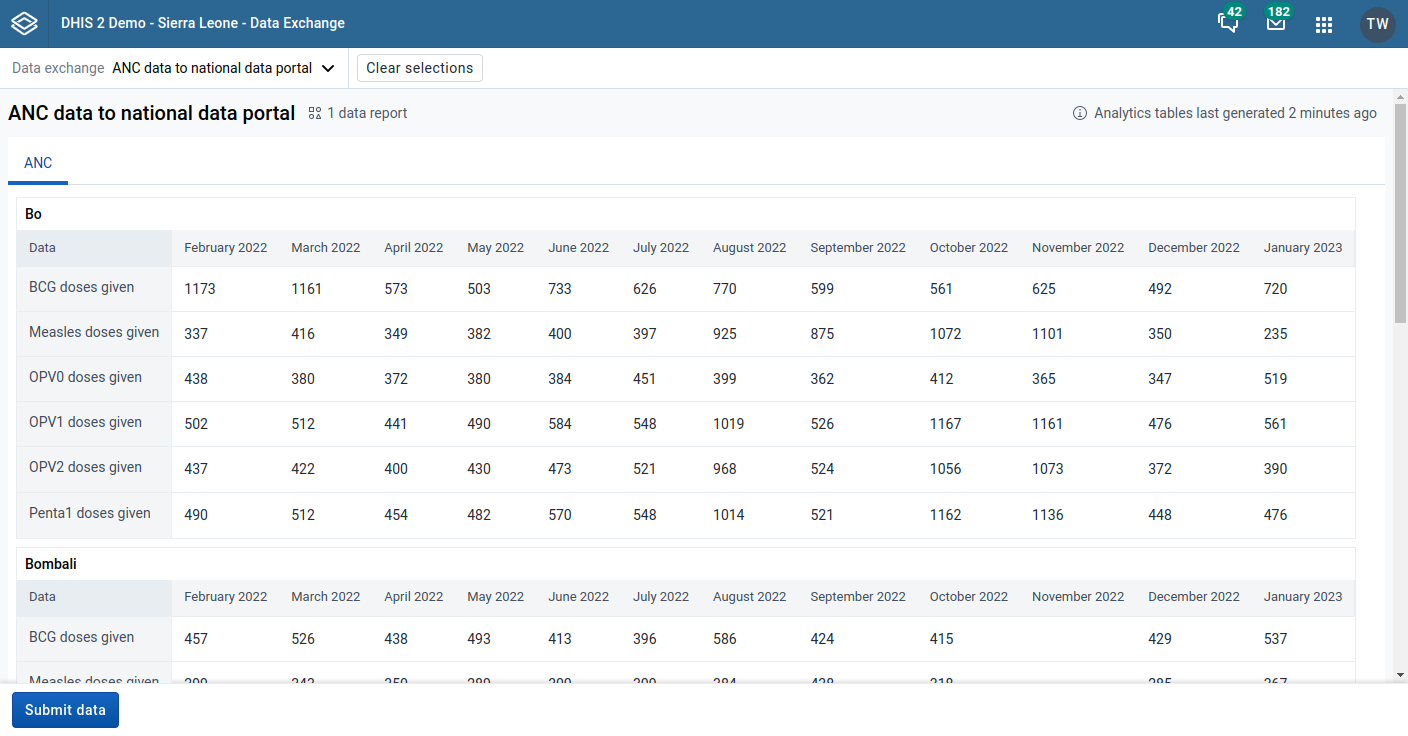
- Data exchange selection: The data exchange drop-down menu in the top bar allows for selecting the data exchange.
- Data preview: The data preview section will display the data to be exchanged with the target instance.
- Submit data: Clicking the Submit data button will exchange data defined by the currently selected data exchange.
Exchanging data
To get started with data exchange:
- Select a data exchange from the data exchange drop-down.
- Preview the data to ensure accuracy and quality.
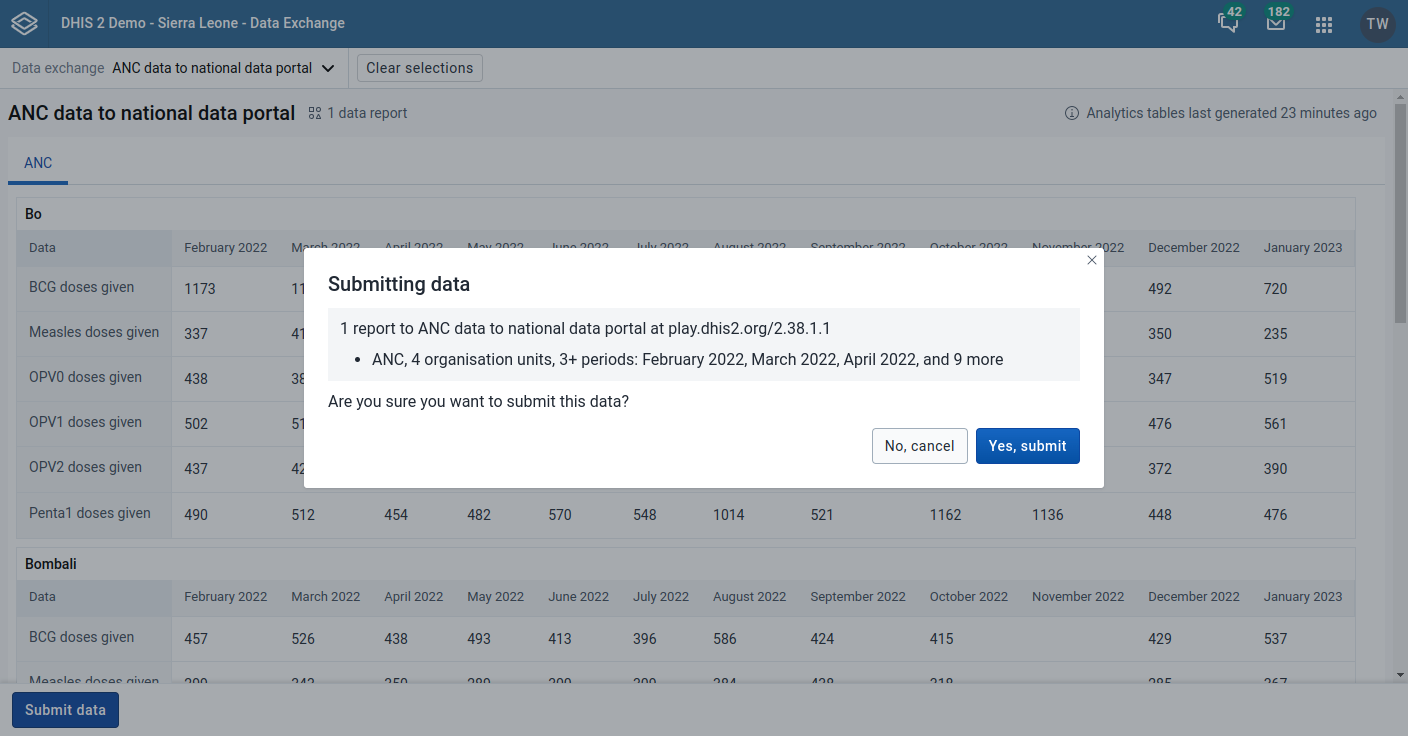
- Click Submit data. This will bring up the confirmation dialog.
- Inspect the parameters for which to submit data and click Yes, submit. This will bring up a submission summary.
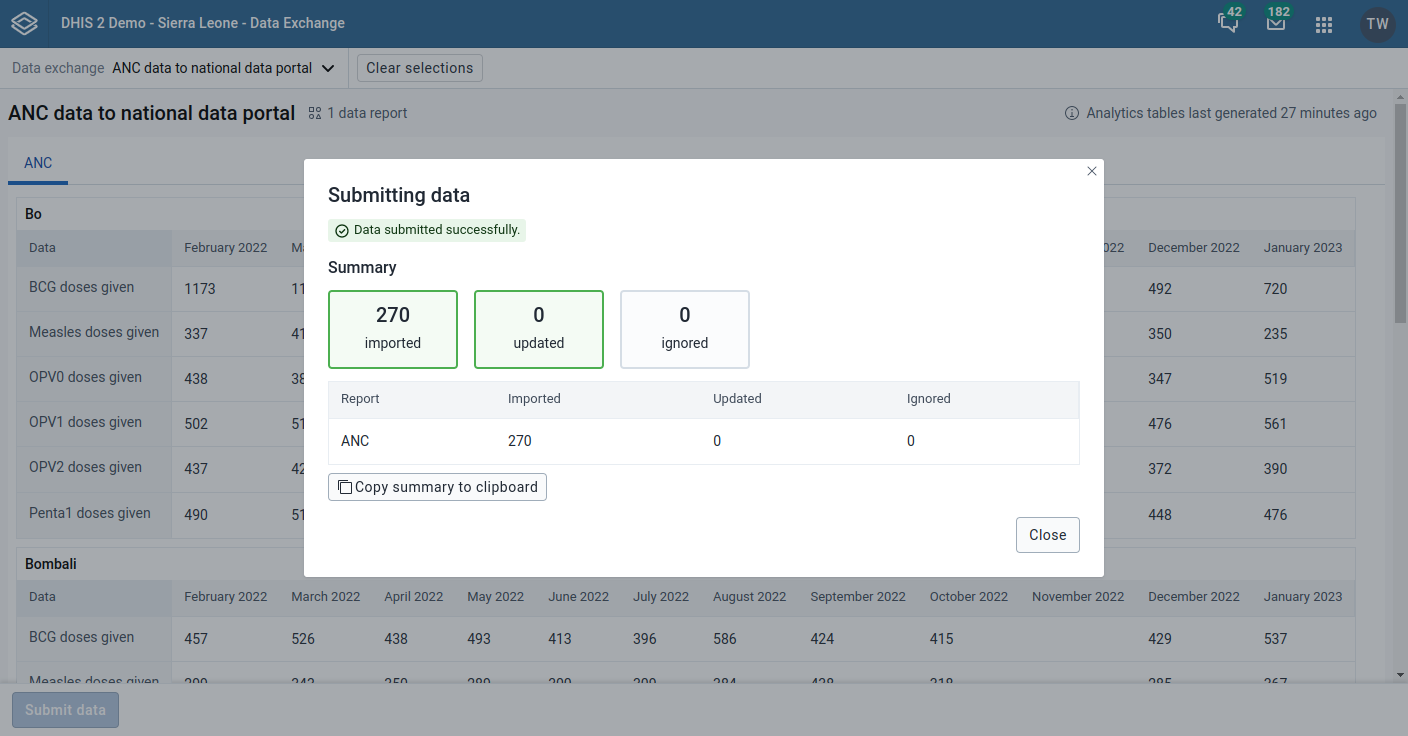
- Inspect the submission summary, and click Close.
The submission summary indicates the outcome, meaning whether the operation was a success or failure, and how many data values were imported, updated and ignored as part of the data exchange.